Choose what the picture must do
A first frame supplies a starting composition. A reference supplies visual guidance without requiring that opening frame. Neither guarantees unchanged identity, lettering, geometry or camera movement. Decide which requirement matters before adjusting the prompt.
| Your goal | Starting mode | Check first |
|---|---|---|
| Animate the existing composition | Image to video | The subject and space for movement are already visible. |
| Use the subject in a newly composed shot | Reference to video | Describe the desired scene and framing in the prompt. |
| Start from a prepared vertical crop | Image to video | Crop the source first; inspect the delivered dimensions. |
| Explore a different output ratio | Reference to video | Choose a ratio, then review subject placement. |
Match image is specific to first-frame mode
Seedance 2.5 image mode uses the source image’s ratio through the Match image setting. Reference mode offers selectable ratios and Automatic aspect ratio. Both automatic settings use the parameter value adaptive, but they serve different input roles; do not read Automatic aspect ratio as a promise to preserve the reference image’s dimensions.
Keep the requested value unchanged when comparing modes, then record each video’s actual dimensions. For vertical delivery, prepare a vertical first frame or select a supported reference-mode ratio. Neither guarantees an exact crop or subject position.
Use one source image for both requests
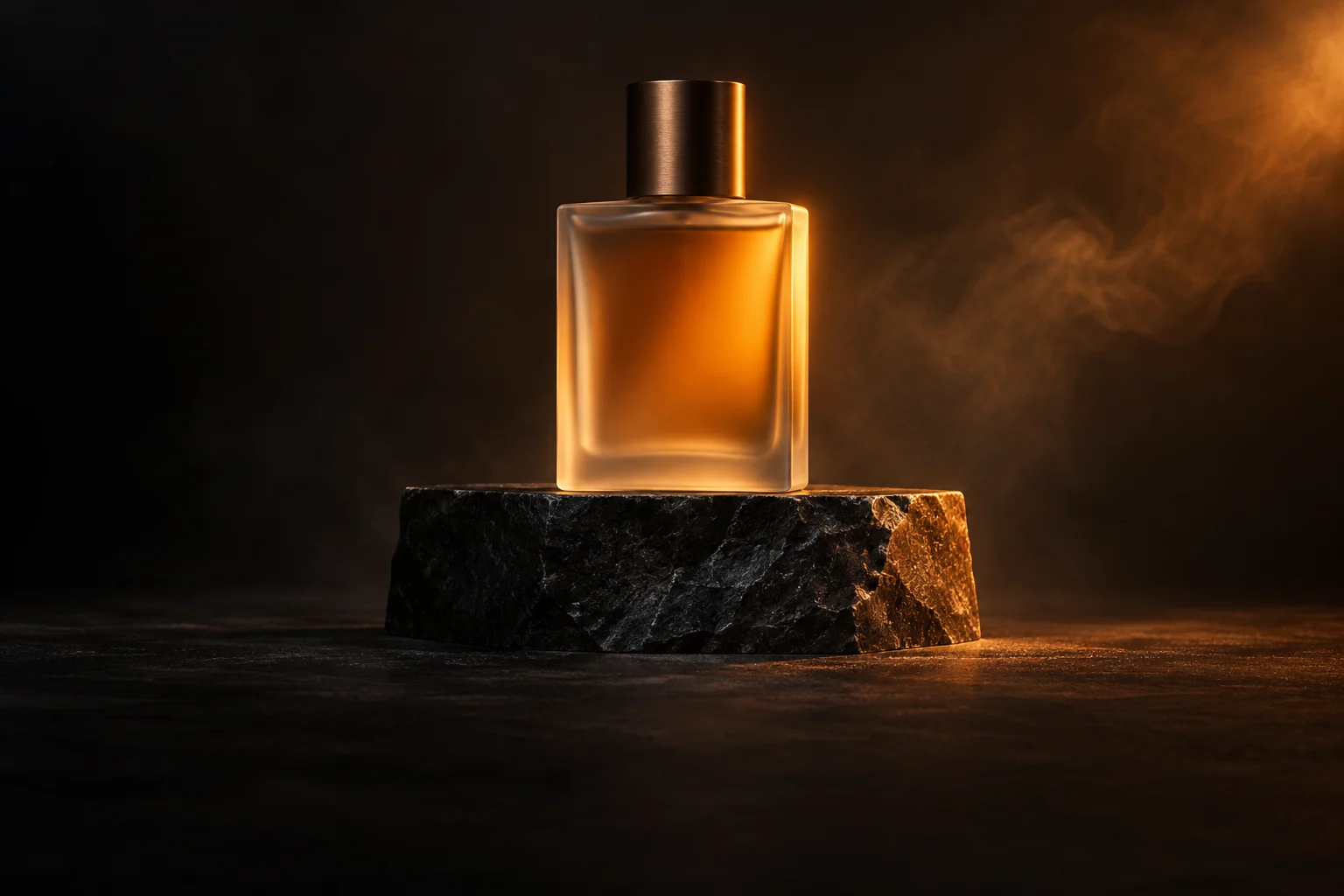
The source is our amber perfume bottle on a black stone plinth: a 1536 × 1024 WebP, generated for this site on 19 October 2026 without a reference input. We uploaded it once and reused the same processed image asset for both requests.
Keep the original beside both videos. Check the cap, glass outline, amber material, bottle position and plinth edge. A convincing new composition may still miss the required opening layout.
What the two actual outputs show
The first-frame output keeps the source’s approximately 3:2 layout. The whole bottle and cap are visible with space above the cap in the reviewed frames. The right side of the glass and plinth becomes more visible as the smoke changes; this is consistent with a slight viewpoint shift, without proving an exact camera path.
The reference output is a wider 16:9 composition. Its glass bottle body remains visible, but the top of the cap is outside the frame at the beginning, middle and end. It therefore misses the prompt’s request to keep the entire bottle visible. The amber glass, stone plinth and warm light remain recognizable. We kept this imperfect result rather than generating a replacement.
The same 480p preset returned different pixel dimensions. For a shot that needs this specific opening layout, the first-frame result is the closer match in this pair. A new request may differ; neither input mode is a guarantee of identical framing or geometry.
| Check | First frame | Image reference |
|---|---|---|
| Requested preset | 4 seconds · 480p · adaptive | 4 seconds · 480p · adaptive |
| Delivered video | 794 × 530 · about 3:2 | 854 × 480 · 16:9 |
| Duration / frame rate | 4.041667 seconds · 24 fps | 4.041667 seconds · 24 fps |
| Encoding / audio | H.264 · no audio stream | H.264 · no audio stream |
| Complete bottle in reviewed frames | Bottle and full cap visible | Glass body visible; cap top cropped |
| Studio credits consumed | 70 | 70 |
Open a setup, then attach the image
These links prefill the settings and the same prompt. They do not upload an image or submit a generation. Attach the source, confirm its preview and mode, then review the current quote.
Uploads support JPG, PNG or WebP up to 10 MB, with each dimension from 300 to 6000 pixels and width divided by height from 0.4 to 2.5. This workflow has one image slot, with no separate last-frame upload.
Each completed example used 70 studio credits, 140 in total. These are site credits, not a cash price or a measured model-provider bill. Generation requires an eligible verified account and sufficient balance. Purchases are currently closed; you can prepare the prompt and inspect settings, but a new account is not a promise of free generation.
Open first-frame settingsOpen reference-image settingsJudge the whole clip against the brief
Compare the opening with the original, then watch the middle and end for changes in the cap, silhouette and material. Check whether the entire bottle stays visible. Separate camera movement from object movement: a changing viewpoint is different from a bottle sliding, turning or changing shape.
Record the downloaded files’ actual duration and dimensions. Note any cuts, new objects or text and when they appear. Keep both outputs, including an imperfect one. One attractive frame does not show whether the full video works.
Use the product-shot review checklistPlan one product-shot adjustment before retryingMake the next decision before another attempt
If the opening composition matters and reference mode rearranges it, reconsider the input role before rewriting the prompt. If movement is missing, decide whether you wanted a moving subject or a moving camera. Remove competing pan, orbit and zoom directions; a fixed-camera instruction remains a request, not a guaranteed lock.
Write one observed issue and one proposed change before spending more credits. Stop when the budget is exhausted or the job is still running or needs review. Inspect that existing job instead of submitting a duplicate.
Use the troubleshooting and diagnostic checklistQuestions and answers
Does reference mode use my picture as the first frame?+
It supplies visual guidance. Choose image mode to establish the starting composition, then inspect the generated opening.
Can I upload both a first frame and an ending frame?+
This SuperSeedance workflow currently accepts one image in either mode and has no separate last-frame upload.
Will the same image and prompt reproduce the same video?+
No exact reproduction is promised. Another submission is a new generation; one pair does not measure repeatability.
Does opening either setup spend credits?+
Opening the workspace and selecting settings does not submit a task. Review the quote before generating. Completed generations consume credits even if you do not publish them.
Sources
These two Seedance 2.5 outputs were generated on 24 October 2026 with the same uploaded asset and prompt, one request per mode. Both returned model doubao-seedance-2-5-260628, with different random seeds. Review used 16 sampled frames per clip plus the first, middle and last frames; this cannot rule out every brief artifact. The complete original videos are included with their AI-generation labels retained. One pair illustrates these requests, not success rates or a causal comparison of modes.